100% offline · private · free

Your notes,
always one slide away.

QuickNote is a sleek note overlay for Windows that glides in from the edge of your screen. Reminders, smart links, dark & cream themes, and bilingual writing — all stored locally on your machine.

Download for Windows Free · .exe installer Donate Support the project
Windows 10 / 11
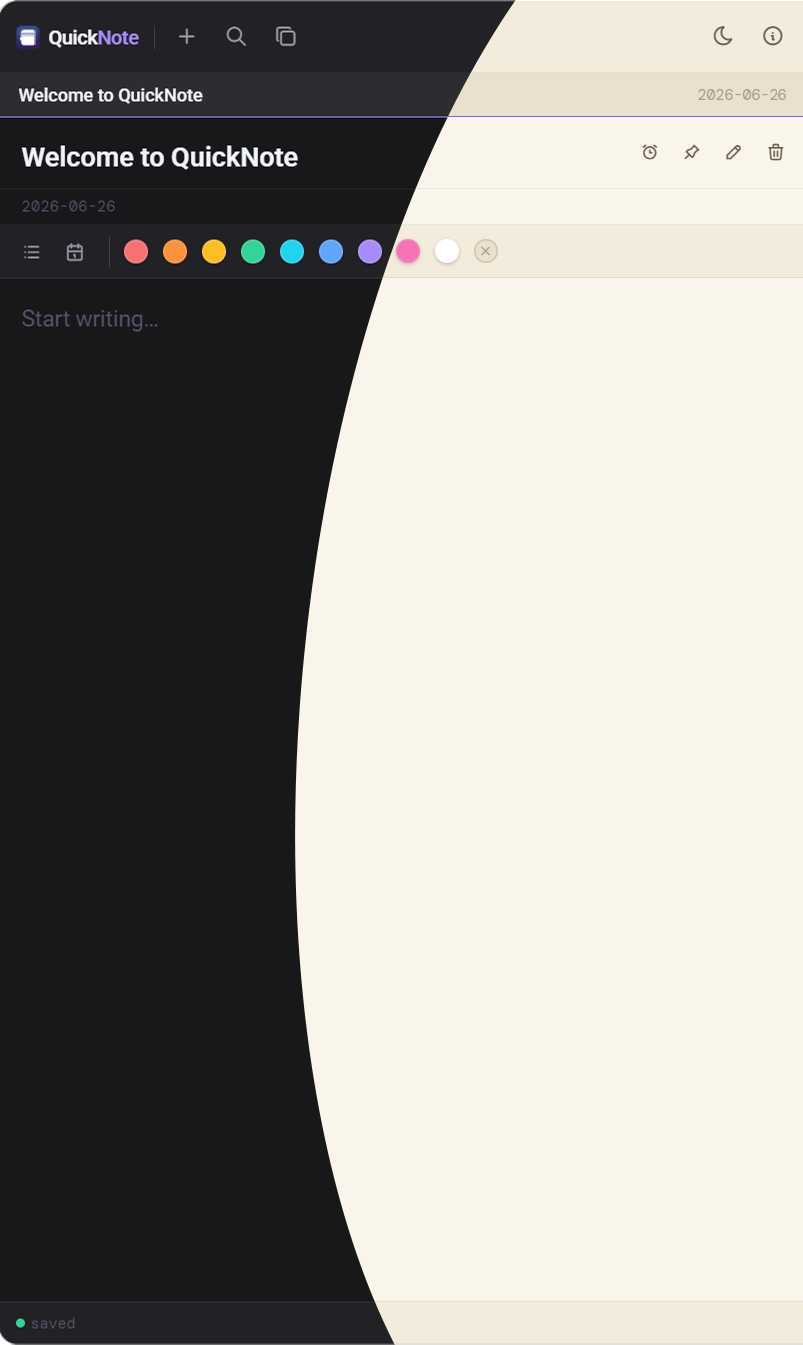
QuickNote sliding in from the edge of the screen, showing the note editor and colour palette

Everything you need. Nothing you don't.

Designed to disappear until you need it — and delight you when you do.

🪄

Slide-in overlay

Lives at the edge of your screen and glides in over any app. Always on top, never in the way.

Reminders that glow

Set a time and QuickNote rings once with a beautiful glow on the note until you open it.

🔗

Smart links

Paste a URL and it becomes a tidy chip. Click to copy, Ctrl-click to open in your browser.

🌗

Dark & cream themes

A gorgeous animated theme switch, with a warm cream light mode that remembers your choice.

🎨

Colour your words

A sleek inline palette lets you paint selected text — or set a colour for what you type next. Reset anytime.

🔒

Truly private

No accounts, no cloud, no trackers, no network at all. Your notes stay on your machine — period.
Get QuickNote

Free and offline. No sign-up. Windows 10 & 11.

Questions

Is it really free?

Yes — completely free and offline. Donations are optional and just help keep development going.

Where are my notes stored?

Locally on your PC at %APPDATA%\quicknote\notes.json. Nothing ever leaves your machine.

Does it need an internet connection?

Never. QuickNote has no network access at all — by design and enforced by a strict security policy.

Which systems are supported?

Windows 10 and Windows 11.